Multicast In ByteBlower GUI
| Introduction | Multicast enables point-to-multipoint connections over Layer 3 networks utilizing IP addressing. Multicast sends traffic only to registered end-points that comprise a specific multicast group. This avoids flooding the entire network while still reaching numerous subscribers. Here's a Multicast Refresher. Note: ByteBlower does not have a built-in multicast server capability, therefore ByteBlower does not implement multicast routing protocols (PIM, DVMRP, etc...). Only the host protocols (IGMP for IPv4, MLD for IPv6) are implemented. Below you will find an example of a ByteBlower multicast project. |
| Example Setup | ByteBlower can be used over any access network and used for any device under test. The purpose of this introduction is to demonstrate the concept using the features that ByteBlower offers. In this example, we send traffic on a back2back link. We will send traffic from interface Trunk 2-1 to interface Trunk 2-2. |
| Step 1: Ports | Let get started. Create and Dock traffic ports as expected on the intended network under test. Here you will define Port configuration (IP, MAC, DHCP, VLAN, etc.). These are your sending and receiving ports (and eavesdroppers "monitors", if desired).
|
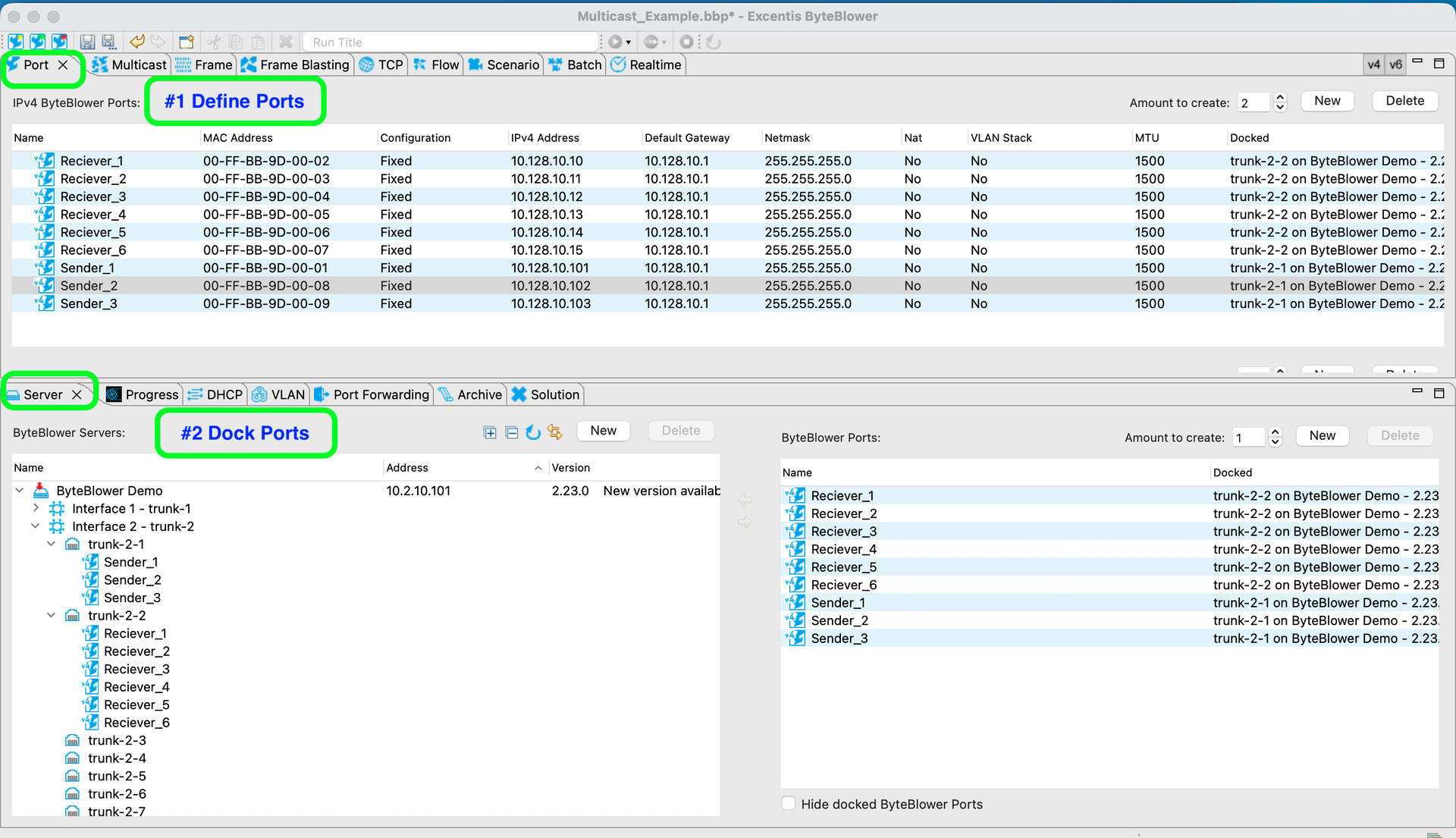
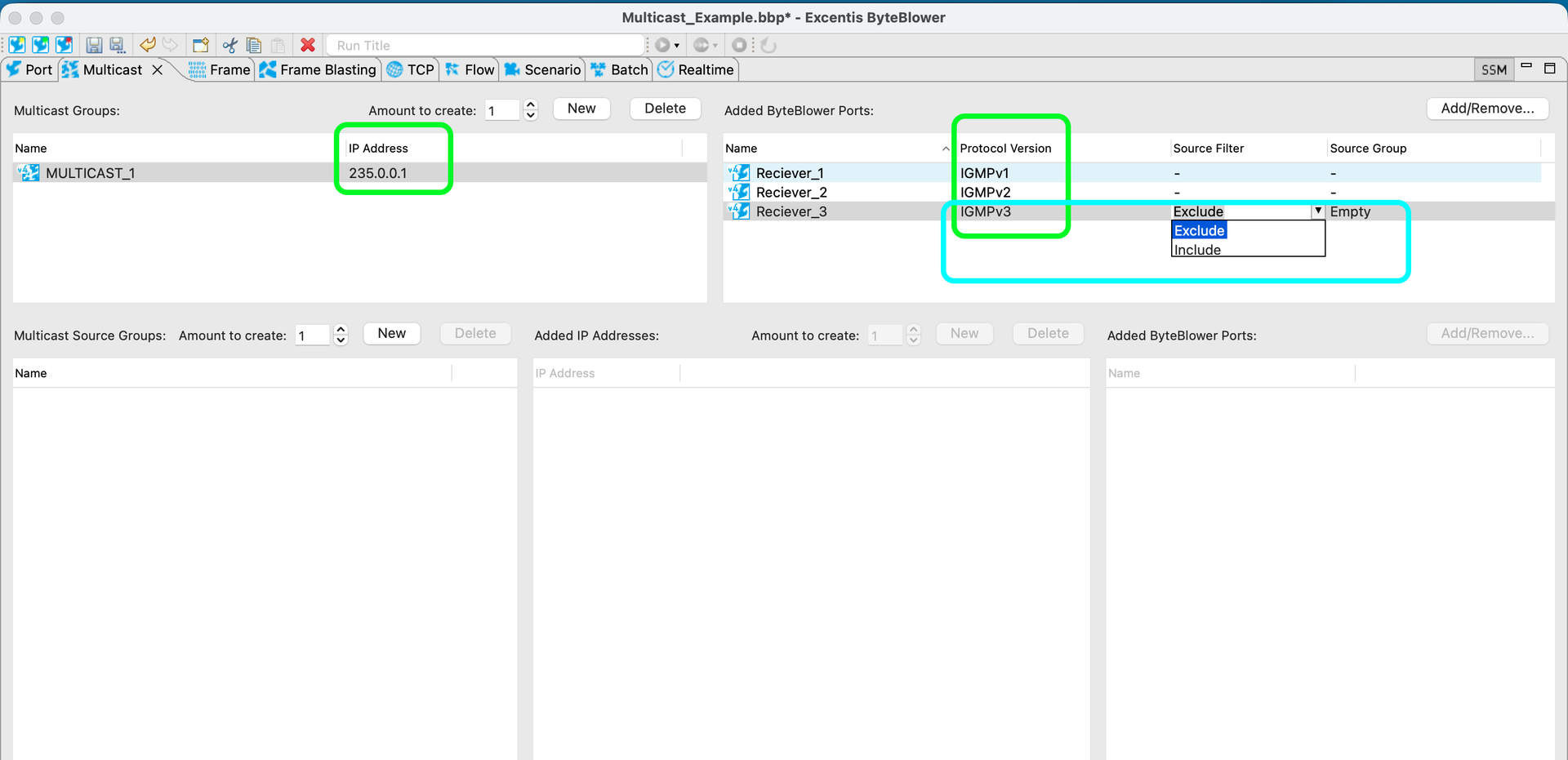
| Step 2: Multicast Group and its listeners | Now that our ports are configured, we define a/many Multicast Groups: This is the multicast IP address that will be used to send traffic to and the "participating" ports that will be receiving traffic for that address. In this example, Receiver_1, Receiver_2, and Receiver_3 want to receive traffic for multicast address 235.0.0.1
For the ports that use IGMPv3 there are additional source filters that can be applied. (include/exclude) |
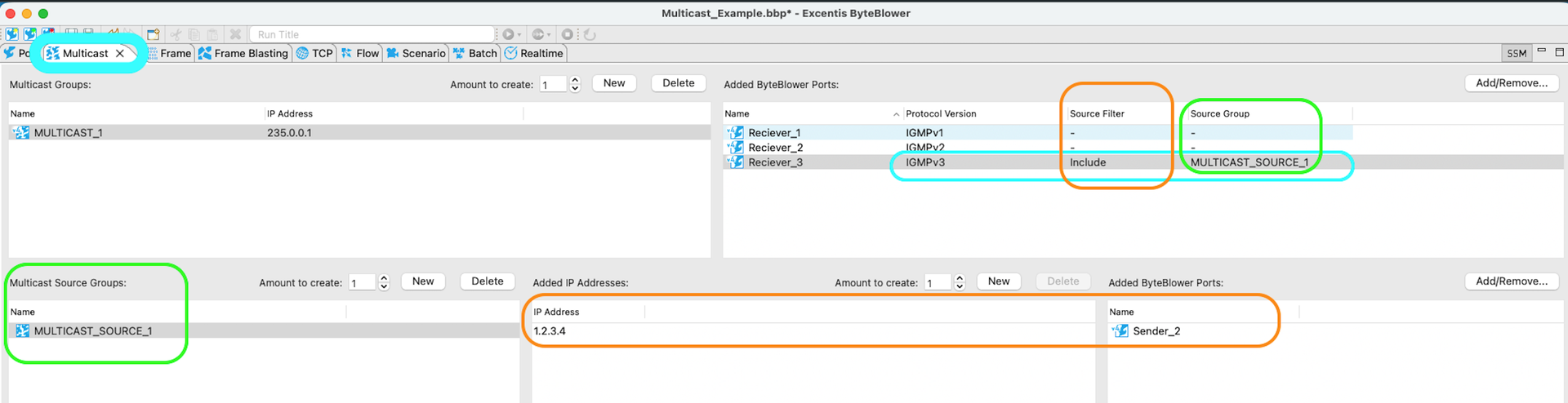
| IGMPv3 Hosts | For ports using source-specific multicast (IGMPv3 or MLDv2), the Source Filter (Include/Exclude) will apply to the Multicast Source Groups defined in the lower windows. So in addition to specifying the multicast group IP address they listening for traffic, these ports (IGMPv3) will also define from which source IP address(es) they allow that multicast traffic from. Include means that it only wants to receive traffic coming from the specified IP address list, exclude means that it wants to receive the multicast traffic from all source IP addresses except the specified IP addresses. For specifying the source IP address(es), you have the choice of raw IP addresses or the IP addresses from the selected ByteBlower Ports. In the example below, Reciever_3 will listen for/receive traffic for multicast address 235.0.0.1, only from raw IP address 1.2.3.4 and from the IP of Sender_2.
|
| Step 3: Define Traffic Template | Next we define a frame blasting template using the Frame Tab and Frame Blasting Tab. In our example the traffic metrics have been left to the default values.
|
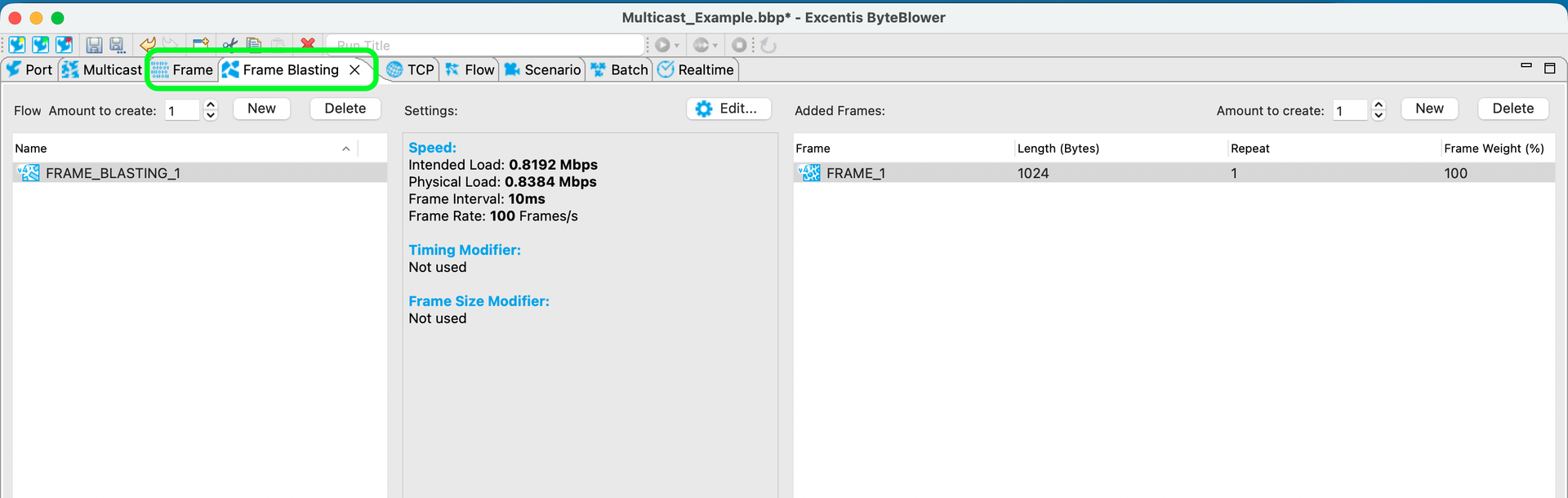
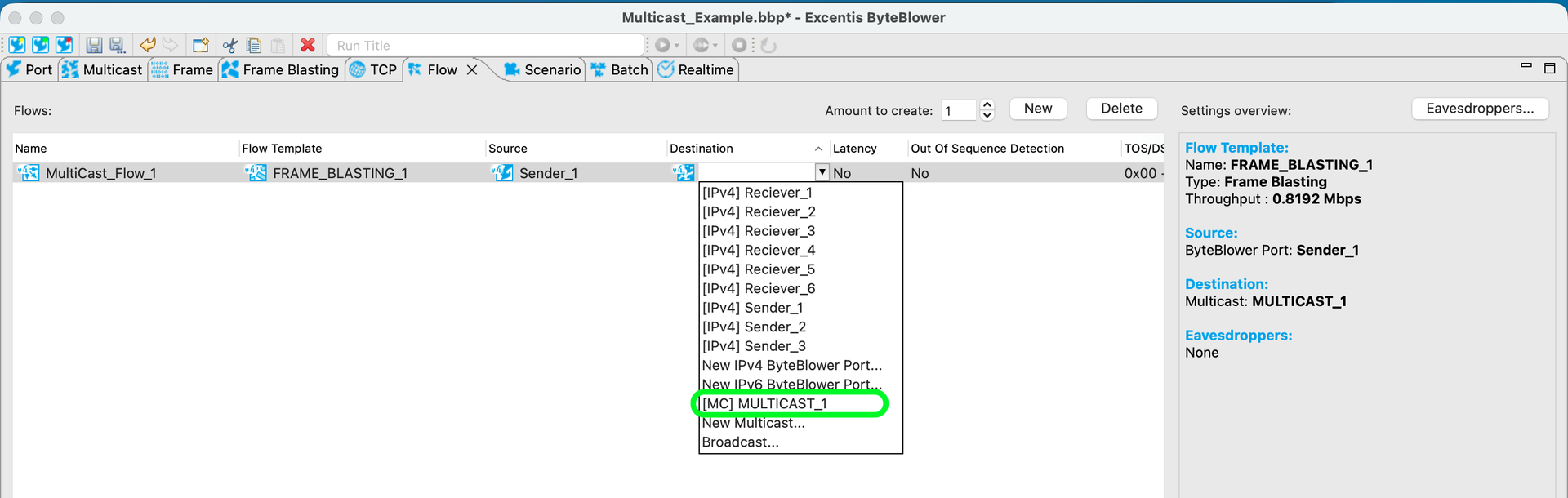
| Step 4: Define Flow | In the Flow Tab, we define the traffic flow. Give the flow a name, select a frame blasting template, select the source which will transmit the multicast traffic, and then (important distinction) select the intended multicast group as destination. You can also enable Latency and Out of Sequence Detection if required for your testing purposes.
Here you also have the options to add eavesdroppers (right top corner of the GUI), as "monitor" ports. See this KB to learn more: 📄 ByteBlower Eavesdroppers |
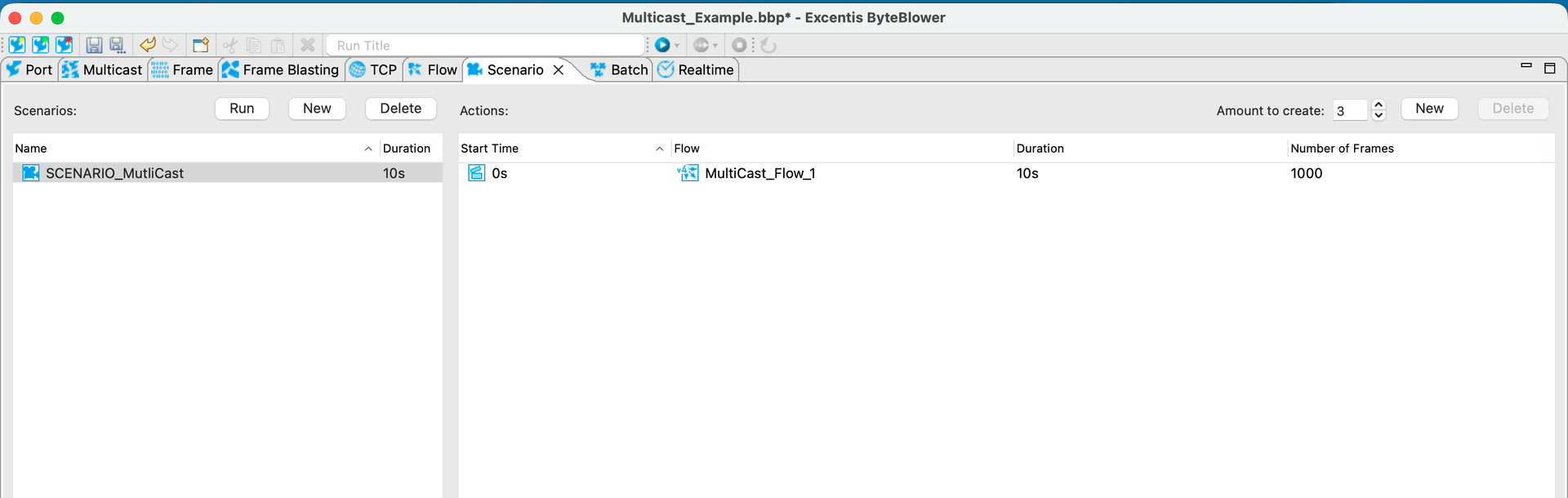
| Step 5: Define/run Scenario | In the Scenario Tab, define a test scenario that uses this or many flows. Here you can configure start time for flows and duration.
You are ready to run a multicast test 😊 |